
Rebrand FooGallery : Whitelabel
Add-on
Rename the plugin, adjust shortcode branding, and hide unnecessary FooGallery admin screens so clients see a simpler agency-branded admin.
FooGallery add-on
Compatible free & pro
30-day guarantee
Admin proof
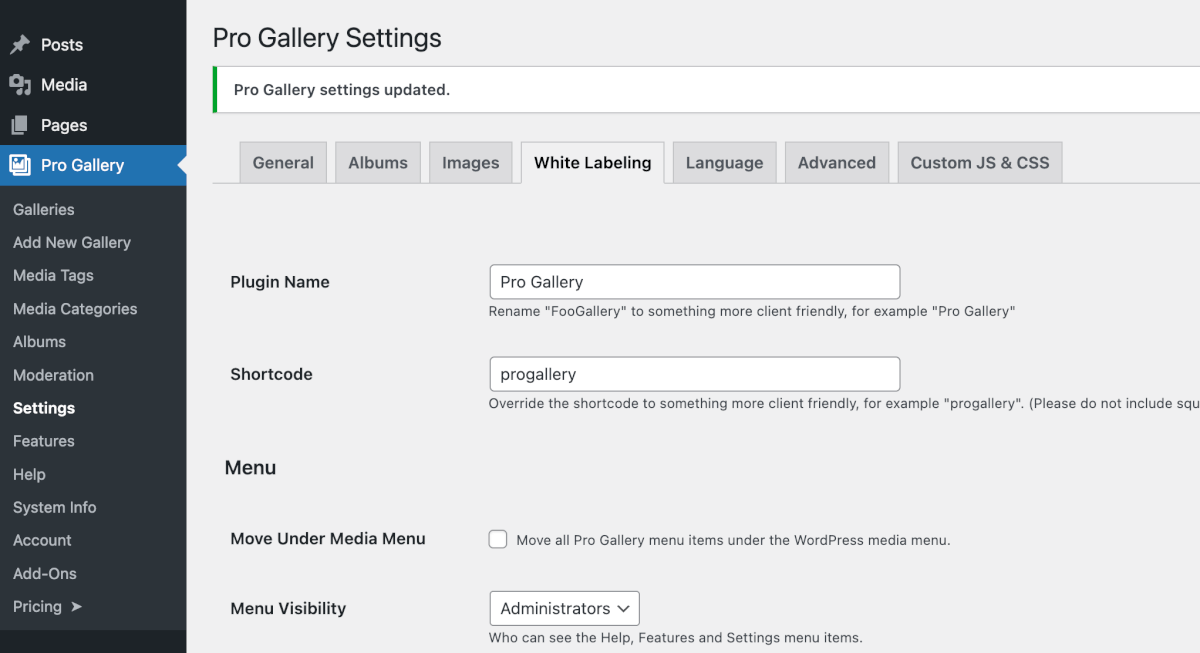
Whitelabel FooGallery Admin Screenshot
Below is an example of an admin screenshot showing you the settings and the result of renaming FooGallery.
Compatibility
Whitelabel Add-on + FooGallery
The whitelabel add-on works with any FooGallery plan, free or pro.
Add-on required
FooGallery Free
Install FooGallery Free, then add the Whitelabel add-on license.
Add-on required
PRO Starter
Use the standalone Whitelabel add-on alongside Starter.
Add-on required
PRO Expert
Use the standalone Whitelabel add-on alongside Expert.
Included
PRO Commerce
White Labeling is included in the PRO Commerce plan.
Whitelabeling is not a public gallery feature. It changes the WordPress admin experience for sites where FooGallery is already installed.
Features
A cleaner FooGallery dashboard for client sites.
The add-on focuses on presentation and admin control, not changing how galleries render on the front end.
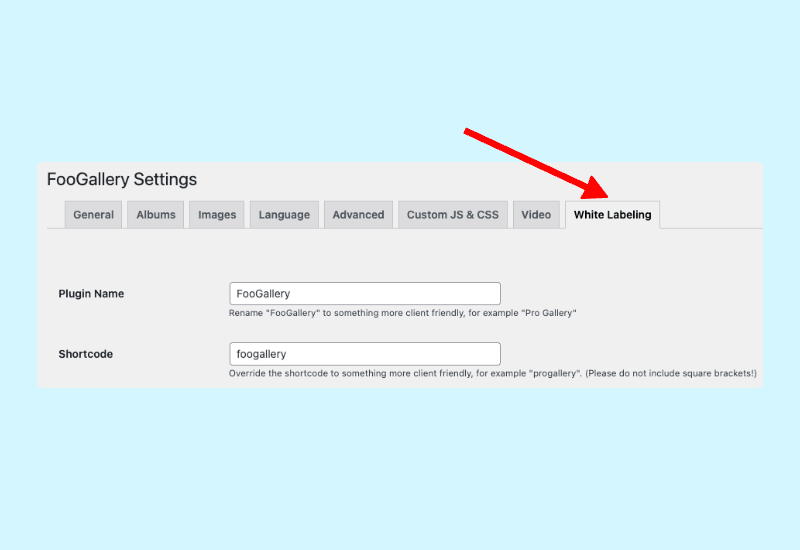
Rename the plugin and shortcode.
Whitelabel settings let you replace FooGallery-facing labels so the client sees a branded gallery tool.
- Change the visible plugin name.
- Change the shortcode name shown in the admin.
- Apply white label changes across the site.
Decide which admin areas clients can use.
Hide menus and limit sensitive FooGallery screens by role to reduce accidental changes after handoff.
- Choose which user roles see Features, Settings, and Help.
- Hide menu items that clients do not need.
- Keep advanced product surfaces available to administrators.
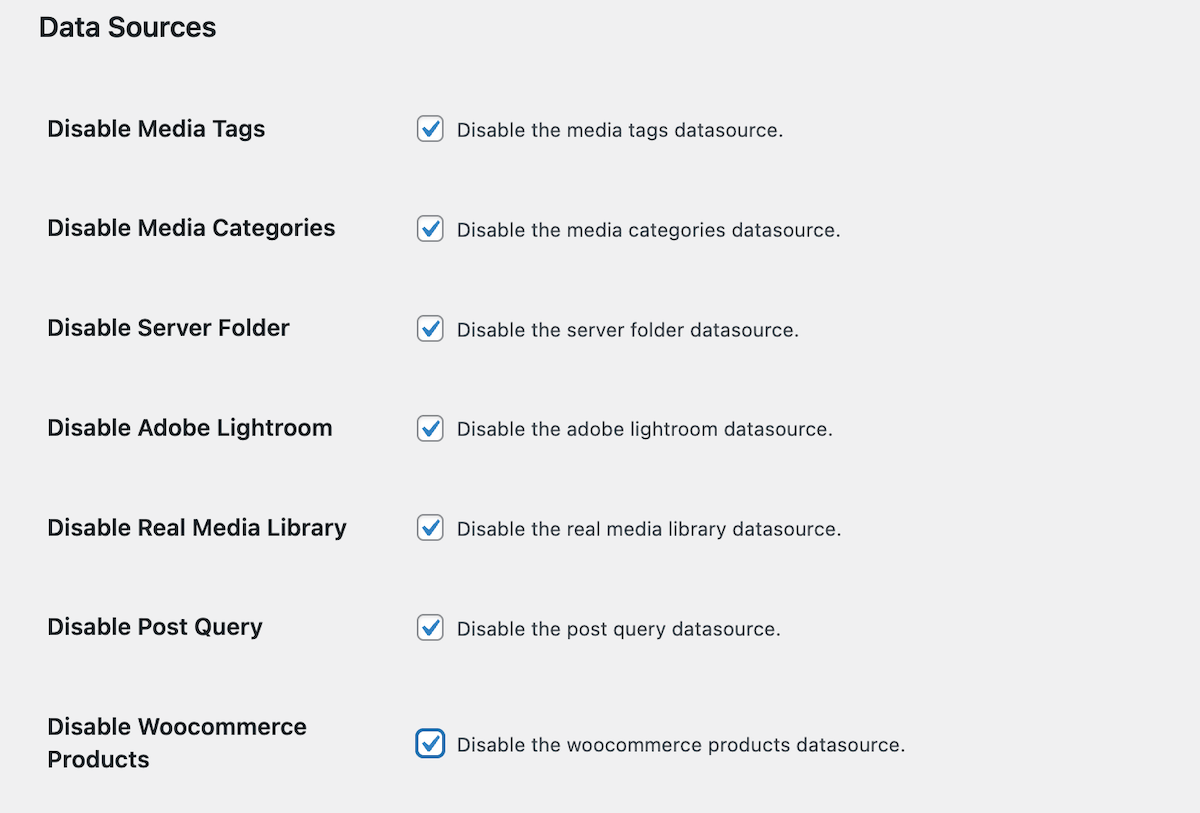
Disable gallery sources that do not belong in the workflow.
If the client only needs a narrow gallery workflow, Whitelabel can remove distractions such as unused data sources.
- Disable data sources the site will not use.
- Reduce support questions caused by unused controls.
- Keep the gallery admin focused on the client workflow.
Pricing
FooGallery Whitelabel Pricing
FooGallery Whitelabel add-on is sold annually by site count.
Most Popular
FooGallery Whitelabel – 5 Sites
Whitelabel FooGallery across a small portfolio of sites.
Rebrand FooGallery
Change name + shortcode
Hide or show menu items
Move menus under Media
Select which roles see which features
Disable menus and certain features
Deliver a your-brand backend to clients
$
89
.99
/ year
Most popular license.
7-day free trial + 30-day money-back guarantee
FAQ
Frequently Asked Questions
The FooGallery Whitelabel add-on plugin lets an agency rebrand the gallery admin experience before handing a site to a client. FooGallery Whitelabel can change visible plugin and shortcode naming and hide selected admin areas.
White Labeling is also included with FooGallery PRO Commerce, but will be removed in future and run as a stand-alone add-on.
Yes. The Whitelabel settings let administrators choose which menu items and user roles can see areas such as Features, Settings, and Help.
Yes. The current Whitelabel documentation includes controls for disabling data sources so the client dashboard only shows gallery inputs that belong in that site workflow.
No. Whitelabel is an add-on for FooGallery, so FooGallery must be installed and active first. It does not white label other WordPress gallery plugins.
Hand over a cleaner FooGallery admin experience.
Choose FooGallery Whitelabel add-on to rebrand before handing over a client site.