

WordPress Single Thumbnail Gallery
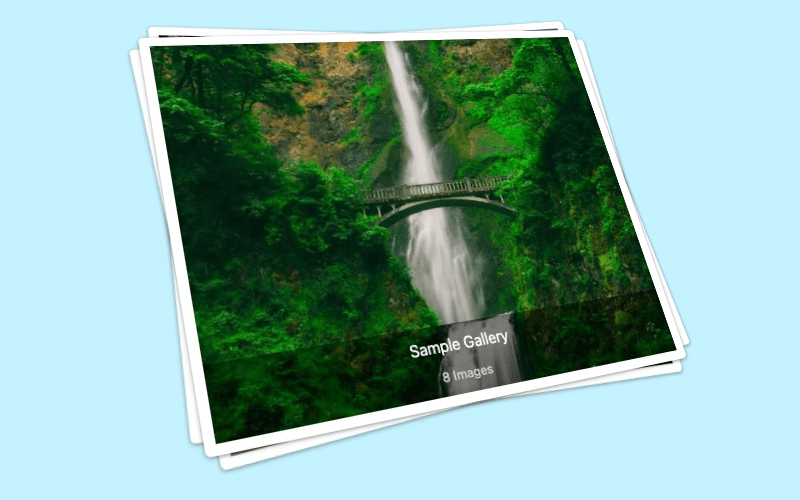
A single thumbnail gallery displays one thumbnail that opens the full gallery experience from a compact page element.
Create a compact gallery entry point with one thumbnail.
Use it where a full grid would take too much page space.
Start on the free FooGallery path and upgrade only if advanced features are needed.
Free included
100K active installs
4.8 / 5 rating
980+ reviews
Live demo
See WordPress Single Thumbnail Gallery
Use the demo below to see how Single Thumbnail Gallery behaves in a real FooGallery layout.










Interact with the gallery above to evaluate the layout, browsing flow, and lightbox behavior.
Who this is for?
For pages that need a compact gallery entry point.
Use a single thumbnail gallery when one image should open a larger gallery experience without taking over the page.
- Long-form pagesKeep layouts compact while still offering a full gallery behind one thumbnail.
- Product pagesUse one image to launch supporting details, angles, or examples.
- Landing pagesAdd a gallery without pushing the main copy or CTA too far down the page.
Availability
FooGallery Free includes this feature.
This feature is available in FooGallery Free, and every paid plan includes it too.
Included
Free
FooGallery Free includes this feature.
Also included
PRO Starter
PRO Starter includes all Free features.
Also included
PRO Expert
PRO Expert includes all PRO Starter features.
Also included
PRO Commerce
PRO Commerce includes all PRO Expert features.
Ready for the next step?
Read through the relevant documentation or download to immediately get started
Upgrade path
Compare Related FooGallery Features
Check out these related FooGallery features to improve your WordPress galleries

Animated Hover Effect Presets
FooGallery Pro Starter comes with a selection of pre-styled hover effects. These unique hover presets save you from having to style your own and add a unique style to your galleries.

Color Sorting
Sort gallery images by dominant colors and add tinted backgrounds.

Custom Captions
Are you looking for a quick way to add custom captions? FooGallery PRO Expert allows you to add custom captions to images inside your WordPress galleries.
FAQs
Frequently Asked Questions
Answers to common questions about the Single Thumbnail layout.
A single thumbnail gallery displays one thumbnail on the page, giving you a compact page element that then opens the full gallery experience.
Yes, this layout is included in FooGallery Free. Download FooGallery Free to start using this feature, then compare PRO plans when you need advanced controls.
A single thumbnail gallery is useful when you don’t want to include a large number of images on your page. You can set the featured image for the gallery or display the first image in the gallery on your page. Users can then click to browse through all other media in the gallery.
This layout uses a small amount of real estate on your page, but can still contain multiple images in the gallery. This makes it useful for blogs, landing pages and long articles, where you don’t want to take up space with a large gallery.
Start free
Build this gallery with FooGallery Free
WordPress Single Thumbnail Gallery is available in FooGallery Free. Install the plugin when the demo matches your site, then upgrade when you need more advanced controls.